

Web applications are online tools that allow you to perform tasks through a web browser.
Unlike a basic website that mainly displays information, a web application lets you log in, enter data, upload files, make payments, communicate with other users, or receive personalised results.
You probably use several web applications every day without thinking about it. Gmail, Glarify, Canva, Google Docs, online banking platforms, social media sites, and ecommerce stores are all examples of web applications.
This article looks at common examples of web applications, how they work, and what you need to build and host one.
What is a web application?
A web application is software that runs on a web server and is accessed through a browser such as Chrome, Firefox, Safari, or Microsoft Edge.
You usually do not need to install the full application on your computer. You visit a web address, sign in, and use the application online.
For example, when you open Gmail, your messages are stored and processed on Google’s servers. Your browser displays the interface and allows you to read, send, delete, and organise emails.
A web application may allow users to:
Create an account
Log in securely
Enter or edit information
Upload files
Make payments
Search a database
Send messages
Book appointments
View personalised content
Generate reports
Collaborate with other users
The exact features depend on the purpose of the application.
Website vs web application
A website and a web application can look similar, but they serve different purposes.
Feature | Website | Web application |
|---|---|---|
Main purpose | Share information | Help users complete tasks |
User interaction | Usually limited | Usually high |
User accounts | Sometimes | Common |
Personalised content | Limited | Common |
Data entry | Minimal | Frequent |
Examples | Company website, blog, news site | Gmail, Canva, online banking |
Hosting needs | Often simple | May require more server resources |
A small company website may show services, prices, contact details, and business hours.
A web application may allow the same company’s customers to create accounts, request services, track orders, download invoices, and make payments.
Some platforms combine both.
For example, an ecommerce site has informational pages, product descriptions, and blog posts. It also functions as a web application because customers can create accounts, add products to a cart, and complete payments.
25 examples of web applications
1) Gmail
Gmail is an email web application from Google.
It allows users to send, receive, search, organise, and store email messages through a browser.
Its main web application features include:
User accounts
Email composition
File attachments
Spam filtering
Search
Labels and folders
Contact management
Other web-based email applications include Outlook, Yahoo Mail, and Proton Mail.
2) Glarify
Glarify is a web application designed to bring website analytics, SEO data, and search performance information into one place.
Instead of moving between several platforms to understand how a website is performing, users can connect their accounts and review important information through a single dashboard.
Glarify can bring together data from tools such as:
Google Analytics 4
Google Search Console
Bing Webmaster Tools
Google Tag Manager
Google Business Profile
This makes it easier for website owners, marketers, agencies, and content teams to understand what is happening across their websites.
What users can do with Glarify
Glarify allows users to interact with website data rather than simply read static information.
Depending on the available features, users can:
Connect their website accounts
View search traffic and keyword performance
Check whether pages are indexed by Google
Review crawling and canonical information
Monitor website engagement
compare performance across different periods
identify pages gaining or losing traffic
inspect local search performance
create SEO and analytics reports
manage several websites from one account
These features make Glarify a clear example of a web application.
The user signs in, connects external services, selects a website, and receives information based on their own data.
Why Glarify is a web application
Glarify has the main characteristics of a modern web application.
Web application feature | How Glarify uses it |
|---|---|
User accounts | Users sign in to access their websites and reports |
External integrations | It connects to analytics and search platforms |
Personalised dashboards | Each user sees data from their own websites |
Data processing | The application organises and interprets website data |
Interactive tools | Users can inspect URLs, filter reports, and compare results |
Cloud access | The platform can be accessed through a browser |
Stored information | Websites, settings, reports, and account connections can be saved |
The technology behind an application such as Glarify
A web application such as Glarify normally requires several connected technologies.
The frontend provides the dashboard, reports, forms, tables, filters, and charts that users see.
The backend handles account connections, permissions, data requests, report generation, and application logic.
A database stores information such as:
User accounts
Connected websites
Report settings
Search data
Analytics records
Subscription details
Saved dashboards
Glarify also depends on APIs to communicate with external platforms such as Google Search Console and Google Analytics.
These APIs allow the application to request authorised data and display it inside the Glarify dashboard.
3) Google Docs
Google Docs is an online word-processing application.
Users can create, edit, save, and share documents without installing traditional desktop software.
Several people can work on the same document at the same time. Changes are saved automatically, and users can leave comments or suggest edits.
Google Docs is a good example of a collaborative web application.
4) Canva
Canva is a browser-based design application.
It allows users to create social media graphics, presentations, posters, logos, documents, videos, and other visual content.
Canva includes features such as:
Drag-and-drop editing
Templates
Image uploads
Team collaboration
Cloud storage
Export tools
Brand management
It performs many tasks that once required installed design software.
5) ChatGPT
ChatGPT is an AI-powered web application that allows users to interact with an artificial intelligence model through a conversational interface.
Users can ask questions, generate ideas, analyse information, write content, study concepts, and solve problems.
The application processes a user’s request on remote servers and returns a response through the browser.
6) Google Drive
Google Drive is a cloud storage web application.
It allows users to upload, store, organise, share, and access files online.
Because files are stored in the cloud, users can access them from different devices as long as they have an internet connection and the correct permissions.
Similar applications include Dropbox, OneDrive, and Box.
7) Trello
Trello is a project management web application.
It uses boards, lists, and cards to help individuals and teams organise tasks.
A team can use Trello to:
Assign tasks
Set deadlines
Add comments
Attach files
Track progress
Organise projects into stages
It is commonly used for content planning, software development, marketing campaigns, and internal operations.
8) Slack
Slack is a workplace communication web application.
It allows teams to communicate through channels, direct messages, group discussions, and file sharing.
Slack also connects with other applications, including Google Drive, GitHub, Zoom, and project management tools.
This makes it useful as a central communication hub for remote and distributed teams.
9) Zoom
Zoom is a video conferencing application that can be accessed through a browser or installed application.
Users can:
Host video meetings
Share screens
Record sessions
Send messages
Create breakout rooms
Schedule online events
Schools, businesses, consultants, and remote teams use Zoom for meetings, lessons, training, and presentations.
10) Facebook
Facebook is a social networking web application.
Users can create profiles, publish posts, upload photos, watch videos, join groups, manage pages, and communicate through messages.
The content shown to each user is personalised based on their account, connections, activity, and preferences.
Other social media web applications include Instagram, X, LinkedIn, TikTok, and Pinterest.
11) YouTube
YouTube is a video-sharing web application.
Users can search for videos, create channels, upload content, leave comments, subscribe to creators, and manage playlists.
YouTube also gives creators access to analytics, monetisation tools, copyright management, and community features.
12) Netflix
Netflix is a video-streaming web application.
Users can create profiles, search for films and series, save content to watch later, and continue watching from where they stopped.
The application provides personalised recommendations based on the user’s viewing activity.
Other streaming web applications include Disney+, Showmax, Amazon Prime Video, and Apple TV+.
13) Spotify Web Player
Spotify Web Player allows users to listen to music and podcasts through a browser.
Users can:
Search for music
Create playlists
Follow artists
Save albums
Receive recommendations
Control playback
The application synchronises listening activity across different devices.
14) Google Maps
Google Maps is a mapping and navigation web application.
It allows users to search for places, view maps, find businesses, calculate routes, and check travel times.
Businesses can also appear on Google Maps through a Google Business Profile.
This helps customers find business locations, phone numbers, opening hours, reviews, and directions.
Our product, Localforce, is meant to help users win on Google Maps.
15) Uber
Uber is a transport web application that connects passengers with drivers.
Users can request rides, select destinations, estimate fares, make payments, and track drivers.
The application combines several systems, including:
GPS location services
User accounts
Maps
Payment processing
Driver matching
Notifications
Ratings and reviews
Similar applications can be built for delivery services, school transport, courier businesses, and logistics companies.
16) Airbnb
Airbnb is an accommodation booking web application.
Property owners can list rooms, apartments, and homes. Travellers can search by location, dates, price, and property type.
The application also manages:
User profiles
Availability calendars
Reservations
Payments
Messages
Ratings
Reviews
Hotels, guest houses, tour operators, and property managers can build similar booking platforms.
17) Booking.com
Booking.com is a travel booking web application.
Users can search for hotels, apartments, flights, taxis, and other travel services.
Search results change based on dates, location, number of guests, price range, and other filters.
The platform connects travellers with accommodation providers and processes reservations online.
18) Shopify
Shopify is an ecommerce web application that helps businesses create and manage online stores.
Store owners can add products, receive orders, manage stock, process payments, and view sales reports.
Shopify includes tools for:
Product management
Checkout
Customer accounts
Discounts
Shipping
Analytics
Store design
WooCommerce, Magento, and BigCommerce are other platforms used to build ecommerce web applications.
19) Amazon
Amazon is a large ecommerce web application.
Customers can search for products, compare prices, read reviews, add items to a cart, make payments, and track deliveries.
Sellers can also manage products, stock, orders, advertising, and customer messages.
This means the platform contains different web application interfaces for buyers, sellers, delivery partners, and administrators.
20) PayPal
PayPal is an online payment web application.
Users can send money, receive payments, view transactions, manage payment methods, and withdraw funds.
Businesses can connect PayPal to their websites or applications to accept online payments.
Other online payment platforms include Stripe, Paystack, Flutterwave, and M-Pesa payment integrations.
21) Online banking platforms
Online banking portals are web applications that allow customers to manage their bank accounts.
Depending on the bank, users may be able to:
Check account balances
View statements
Transfer money
Pay bills
Manage beneficiaries
Download transaction records
Request banking services
Because these platforms handle sensitive financial information, they require strong security, encryption, authentication, and monitoring.
22) School management systems
A school management system helps schools manage students, teachers, fees, lessons, examinations, and communication.
Parents may use the application to view:
Student performance
Fee balances
Attendance
School announcements
Homework
Timetables
Teachers and administrators may use separate dashboards to enter marks, manage classes, and generate reports.
23) Hospital management systems
Hospital and clinic management systems help healthcare providers organise appointments, patient records, billing, staff schedules, and inventory.
Patients may use the application to book appointments, access results, or receive reminders.
Healthcare web applications must be designed carefully because they may handle confidential personal information.
24) Customer relationship management systems
A customer relationship management system, commonly called a CRM, helps businesses manage leads, customers, sales, and communication.
Popular examples include Salesforce, Odoo, HubSpot, and Zoho CRM.
A CRM may allow a business to:
Store customer information
Track sales opportunities
Record calls and emails
Assign leads
Schedule follow-ups
Generate sales reports
Businesses can also build custom CRM applications for their own processes.
25) Accounting applications
Online accounting applications help businesses manage income, expenses, invoices, taxes, and financial reports.
Examples include QuickBooks Online, Xero, Zoho Books, and FreshBooks.
A small business may use an accounting web application to create invoices, track payments, record expenses, and monitor cash flow.
26) WordPress dashboard
The public side of a WordPress website displays pages and posts.
The WordPress dashboard, however, functions as a web application.
It allows authorised users to:
Publish content
Upload media
Install plugins
Change website settings
Manage users
Moderate comments
Review orders
Update products
WordPress can also be extended to create ecommerce stores, membership websites, booking systems, directories, and learning platforms.
Run WordPress
Other common types of web applications
Web applications exist in almost every industry.
Other examples include:
Job portals
Property listing platforms
Food delivery systems
Online learning platforms
Event ticketing systems
Payroll systems
Inventory management systems
Customer support portals
Hotel booking systems
Loan application platforms
Insurance portals
Membership websites
Online examination systems
Domain registration platforms
Web hosting dashboards
Analytics tools
Invoice generators
Appointment-booking systems
Online marketplaces
Government service portals
A web application can be built for almost any repeatable process involving users, information, communication, or transactions.
Types of web applications
Web applications can also be grouped according to how they function.
1) Static web applications
A static web application displays content that changes very little.
It is built using files such as HTML, CSS, and JavaScript.
Static applications are fast and relatively easy to host, but they offer fewer interactive features unless connected to external services.
Examples include:
Portfolios
Product showcases
Simple campaign pages
Documentation websites
Basic business websites
2) Dynamic web applications
A dynamic web application generates content based on user requests, stored data, or account information.
It usually connects to a database.
Examples include:
Social media platforms
News websites
Customer portals
Ecommerce stores
Online banking platforms
The content may change for each user.
3) Single-page applications
A single-page application loads one main page and updates content without reloading the entire browser window.
This can make the application feel faster and more similar to installed software.
Examples include parts of Gmail, Trello, Google Maps, and many modern dashboards.
Single-page applications are often built using frameworks such as React, Vue, or Angular.
4) Progressive web applications
A progressive web application, or PWA, is a web application designed to behave more like a mobile application.
Depending on the device and browser, it may support:
Installation on the home screen
Push notifications
Offline access
Background updates
Fast loading
A PWA can be useful when a business wants an application-like experience without building separate Android and iOS applications.
5) Ecommerce web applications
Ecommerce web applications allow businesses to sell products or services online.
They typically include:
Product pages
Shopping carts
Checkout
Online payments
Customer accounts
Order tracking
Inventory management
Examples include Amazon, Shopify stores, Jumia, and WooCommerce websites.
6) Portal web applications
A portal gives users access to information and services through a central dashboard.
Different users may see different content based on their roles.
Examples include:
Student portals
Employee portals
Customer portals
Supplier portals
Government service portals
Hosting client areas
7) Content management systems
A content management system allows users to create and manage website content without editing code directly.
WordPress is the most widely recognised example.
Other content management systems include Joomla, Drupal, Ghost, and TYPO3.
8) Online marketplaces
An online marketplace connects different groups of users.
For example, a marketplace may connect buyers with sellers, passengers with drivers, or property owners with guests.
Examples include:
Airbnb
Uber
Amazon Marketplace
Fiverr
Upwork
Jiji
Etsy
The platform usually earns money through commissions, subscriptions, listing fees, or advertising.
How does a web application work?
Most web applications contain several connected parts.
The frontend
The frontend is the part users see and interact with in the browser.
It includes:
Pages
Buttons
Forms
Menus
Images
Dashboards
Notifications
Frontend technologies commonly include HTML, CSS, and JavaScript.
Frameworks such as React, Vue, and Angular may also be used.
The backend
The backend handles the application’s logic behind the scenes.
It may process logins, calculate results, send emails, retrieve records, manage payments, or apply user permissions.
Backend applications can be built using technologies such as:
PHP
Python
Node.js
Java
Ruby
.NET
The database
The database stores information used by the application.
This may include:
User accounts
Products
Orders
Messages
Appointments
Payments
Settings
Reports
Common databases include MySQL, PostgreSQL, MariaDB, MongoDB, and Microsoft SQL Server.
The server
The server runs the application and responds when users make requests.
For example, when a customer logs in, the server checks the submitted details, confirms the account, retrieves the correct information, and sends the dashboard back to the browser.
The quality of the server affects the application’s speed, reliability, and ability to handle many users.
Application programming interfaces
An application programming interface, commonly called an API, allows different systems to communicate.
A web application may use an API to:
Process payments
Send SMS messages
Display maps
Verify users
Send emails
Retrieve exchange rates
Connect to social media platforms
For example, an ecommerce application may connect to an M-Pesa API to accept payments.
What do you need to build a web application?
The exact requirements depend on the application’s complexity.
A basic web application may require:
A frontend
A backend
A database
An SSL certificate
User authentication
Regular backups
A larger application may also require:
Cloud storage
Load balancing
Monitoring
Automated deployment
Database replication
Security testing
Content delivery networks
Separate development and production environments
Planning these requirements early can reduce performance and security problems later.
Shared hosting vs VPS hosting for web applications
Some small web applications can run on shared hosting.
For example, shared hosting may be enough for:
A simple WordPress membership site
A small WooCommerce store
A basic appointment system
A small customer portal
A lightweight PHP application
Shared hosting is easier to manage and usually costs less.
However, a virtual private server may be more suitable when the application:
Receives high traffic
Runs background tasks
Requires custom server software
Uses Node.js or specialised frameworks
Needs more memory or processing power
Stores large amounts of data
Requires greater server control
Handles many simultaneous users
A VPS gives you dedicated server resources and more control over the hosting environment.
How to choose hosting for a web application
Consider the following factors before selecting a hosting plan.
Expected traffic
Estimate how many people may use the application at the same time.
An application with 100 monthly users has different server requirements from one serving thousands of users every day.
Technology requirements
Check which programming languages, databases, frameworks, and server tools the application requires.
Not every hosting plan supports every technology.
Storage
Consider how much space is required for databases, images, videos, documents, backups, and user uploads.
Performance
Slow applications frustrate users and may reduce conversions.
Choose hosting with enough memory, processing power, and storage performance for the application.
Security
Applications that handle personal data, passwords, payments, or business records need strong security controls.
At minimum, use an SSL certificate, secure passwords, software updates, backups, and restricted user permissions.
Scalability
Your hosting environment should be able to grow as the number of users, transactions, and stored records increases.
A small application may begin on shared hosting and later move to a VPS.
Technical support
Reliable support is important when an application becomes unavailable or develops a server-related problem.
Choose a hosting provider that can help you resolve hosting, domain, SSL, and server issues.
Examples of web applications a small business can build
You do not need to create the next Facebook or Amazon.
A focused web application can solve one specific business problem.
A small business could build:
A salon appointment system
A school fee portal
A rental property management platform
A customer quotation tool
An online ordering system
A delivery tracking portal
A membership website
An employee leave management system
A restaurant reservation platform
A church membership system
A loan repayment calculator
A local job portal
A supplier management platform
A customer support portal
A course and examination system
The best applications often begin with a clear problem faced by a specific group of users.
Benefits of web applications
Web applications offer several advantages to businesses and users.
Accessible from different devices
Users can access the application through a browser on a computer, tablet, or phone.
No full desktop installation
Most web applications do not require users to install large software packages.
Easier updates
Developers can update the application on the server. Users receive the latest version the next time they open it.
Centralised information
Data can be stored in one central system rather than spread across different devices or spreadsheets.
Collaboration
Several users can work on the same records, tasks, documents, or projects.
Automation
A web application can automate repetitive processes such as sending invoices, confirming bookings, calculating totals, or generating reports.
Business growth
A web application can help a business serve customers beyond its physical location and operate at any time of day.
Challenges of web applications
Web applications also come with responsibilities.
Security threats
Applications can be targeted through weak passwords, outdated software, insecure code, or poorly protected databases.
Internet dependence
Most web applications require a stable internet connection.
Development costs
Custom applications may require design, development, testing, hosting, maintenance, and ongoing improvements.
Performance problems
Poor code, weak hosting, large files, or inefficient databases can make an application slow.
Maintenance
A web application is rarely complete after launch. It needs software updates, backups, security checks, monitoring, and feature improvements.
Can WordPress be used to build a web application?
WordPress can be used to build some types of web applications.
With suitable themes, plugins, and custom development, WordPress can power:
Membership platforms
Ecommerce stores
Directories
Learning platforms
Booking systems
Job boards
Customer portals
Classified websites
Online communities
WordPress may not be the best choice for every complex application, but it can be a practical option for small and medium-sized projects.
It is especially useful when content management, blogging, ecommerce, or user memberships are important parts of the platform.
How to start building a web application
A simple process may look like this:
Identify the problem the application will solve.
Define the target users.
List the essential features.
Sketch the main pages and user journey.
Choose the technology.
Register a domain name.
Select suitable hosting.
Build a basic version.
Test it with real users.
Improve the application based on feedback.
Start with the smallest useful version of the product.
For example, a booking application may first need only user registration, a booking form, an administrator dashboard, and email confirmations.
More advanced features can be added after the basic process works correctly.
Host your web application with Truehost
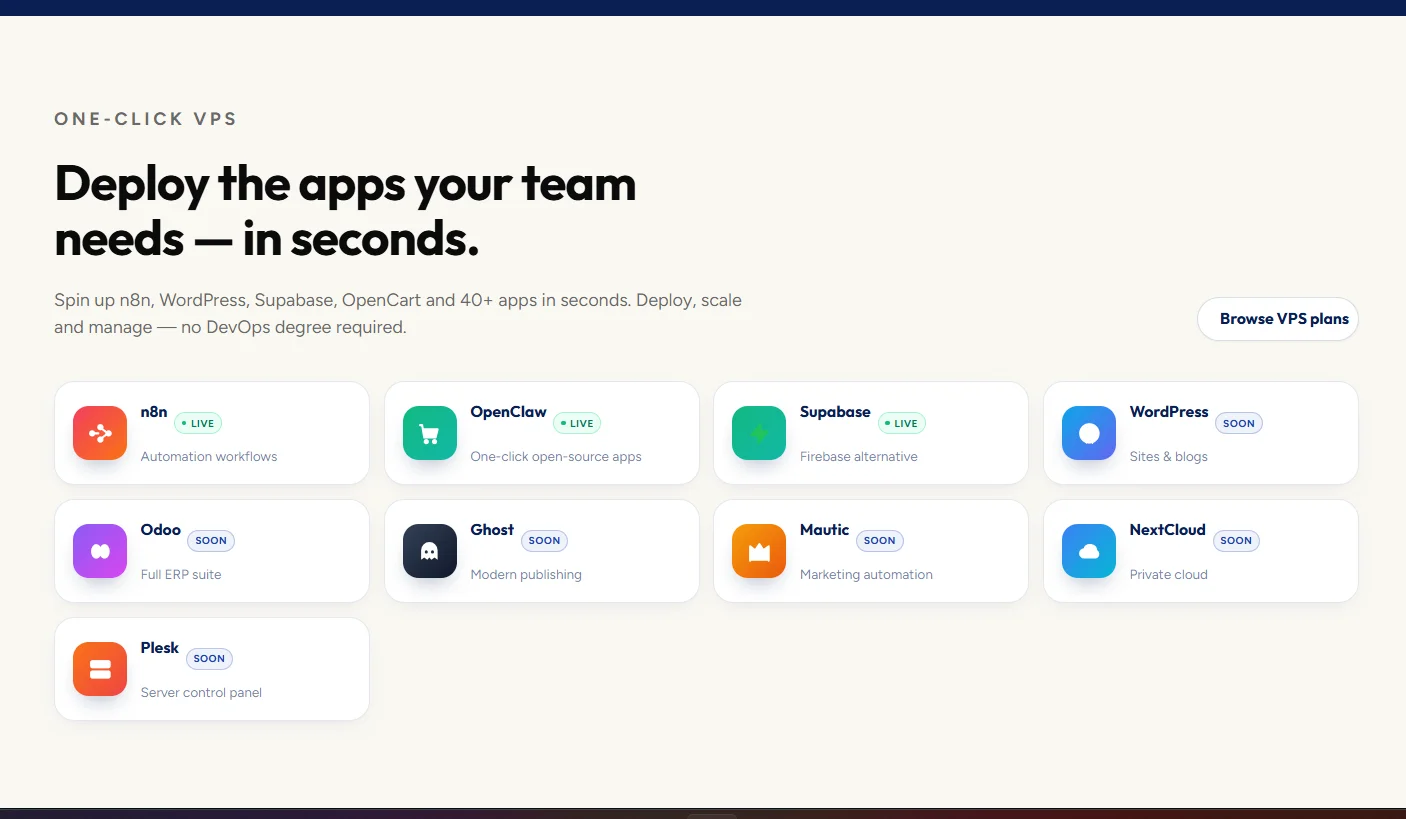
Every web application needs a reliable online home.
Truehost provides domain registration, web hosting, business email, VPS hosting, SSL certificates, and server solutions for different types of online projects.
You can start with shared hosting for a lightweight website or application, then move to a VPS when you need more resources, custom software, or greater control.
A suitable hosting setup can help your application remain fast, secure, and available as your user base grows.
Explore Truehost web hosting and VPS solutions to find an option that fits your project.
Frequently asked questions
Is Facebook a web application?
Yes. Facebook is a web application because users can create accounts, publish content, send messages, join groups, and interact with personalised information through a browser.
Is Google a website or web application?
Google’s search homepage can be described as a website and a web application.
It displays information, but it also processes search requests and returns personalised results. Other Google products such as Gmail, Google Docs, and Google Drive are clear examples of web applications.
Is WordPress a web application?
Yes. The WordPress administration dashboard is a web application because users can log in, create content, upload files, install plugins, and change settings.
A website built with WordPress may be informational, interactive, or both.
Is Netflix a web application?
Yes. Netflix is a web application because users can create profiles, search content, receive recommendations, manage subscriptions, and stream videos through a browser.
Is an ecommerce website a web application?
Most ecommerce websites are web applications.
They allow users to search products, add items to a cart, create accounts, submit delivery details, make payments, and track orders.
Can a web application work on a phone?
Yes. Web applications can work on phones, tablets, laptops, and desktop computers.
The application should use responsive design so that pages and controls adjust to different screen sizes.
Does a web application need a domain name?
A web application can technically run using an IP address or temporary development URL, but a domain name makes it easier to access, remember, brand, and secure.
For example, a business may use app.example.com or portal.example.com.
What hosting is best for a web application?
The best hosting depends on the application’s technology, traffic, storage, and performance requirements.
A lightweight application may run on shared hosting. A custom or resource-intensive application will usually perform better on a VPS or cloud server.
Final thoughts
Web applications power many of the online services people use every day.
Gmail helps users manage email, Canva provides online design tools, Shopify supports ecommerce stores, and Google Docs enables real-time collaboration.
Businesses can also build smaller applications for bookings, payments, customer management, education, delivery, reporting, and internal operations.
The key is to start with a clear problem, build the essential features, and choose hosting that can support the application as it grows.





